Overview
Please Note: This product ships as a PHYSICAL product.
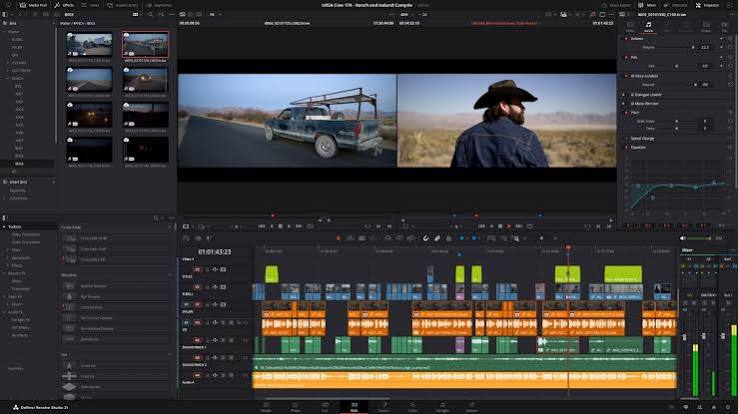
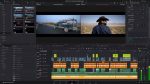
Blackmagic DaVinci Resolve Studio introduces over 100 new features in version 20, including powerful AI tools for various stages of the workflow. The software allows for multi-user collaboration, enabling editors, colourists, visual effects artists, and sound engineers to work together in real time locally or remotely. DaVinci Resolve combines editing, colour correction, visual effects, motion graphics, and audio post production in one tool, making it efficient and powerful for professionals.
Cloud collaboration is supported through Blackmagic Cloud, allowing project libraries to be hosted on the DaVinci Resolve Project Server in the cloud. The software also includes features like Blackmagic Proxy Generator for creating proxies from camera originals, simplified proxy workflows, intelligent media management, and shared project libraries for enhanced collaboration and performance. Remote monitoring is made easy with just a Blackmagic ID and session code, enabling users to monitor projects on desktop, iPad, or iPhone.
Included in box
1x Software Activation Key
About the Blackmagic DaVinci Resolve Studio
Please Note: This product ships as a PHYSICAL product.
DaVinci Resolve 21 — What’s New
DaVinci Resolve 21 introduces the Photo page, bringing Hollywood’s most advanced color tools to still photography! A new generation of AI tools let you search media by content, read slate data, perform de-aging, blemish removal and more. The Edit and Cut pages have improved keyframing and greater graphic format support. Color page workflows are optimized with MultiMaster trim passes, layer list node graphs and group versions. Fusion offers over 70 new graphics via the powerful Krokodove toolset. Fairlight’s folder function simplifies audio track management and navigation. Plus, increased support for immersive and VR workflows puts you at the forefront of the latest deliverable technologies.
AI Tools
Search Content with AI IntelliSearch
Instantly search for people and content with AI IntelliSearch! Analyze media and use the IntelliSearch tool to find specific objects or key words in dialog. You can even search for individual faces! Results appear as whole clips in the Media Pool for faster clip organization and editing.
Advanced AI Speech Generator
Generate speech from written text using one of Blackmagic’s voice models or a sample of your own. The DaVinci AI Neural Engine can create a unique voice from as little as a 10 second clip! Adjust speed, pitch and even inflection, to create multiple performances for voiceovers, narration and more.
Adjust Focus with AI CineFocus
Define the focal point of a shot with AI CineFocus! Click to focus on a particular area of a scene and adjust aperture and focal range to change the depth of field. Advanced controls let you select the aperture shape and add optical effects like bokeh. You can even keyframe parameters to rack focus!
AI Face Age Transformer
Change an actor’s age with the AI Face Age Transformer tool. Analyze a face, enter the subject’s age and adjust the age offset slider to add or remove age-related features, such as wrinkles and facial fullness. Perfect for maintaining continuity in flashbacks and flash-forward scenes!
AI Face Reshaper
The AI Face Reshaper lets you change facial features’ shape and position on a moving subject. After detecting and tracking a face in a clip, use the AI Face Reshaper parameters to adjust the eyes, nose, mouth, eyebrows and overall face shape. Manual controls let you fine-tune the resulting face.
AI Blemish Removal
The AI Blemish Removal tool is perfect for reducing the appearance of superficial skin imperfections such as acne, discoloration, spots and pores while retaining texture of the natural skin. Use the strength slider to adjust the intensity of the tool to better suit the subject in the scene.
Sync with AI Slate ID
AI Slate ID automatically detects the slate clapperboard details! It intelligently extracts metadata from the slate in the frame, even in dark or out-of-focus clips, saving hours in metadata entry. Media is ready for editing, faster than ever before!
Extreme Quality AI UltraSharpen
DaVinci’s most advanced sharpening tool to date lets you produce significantly clearer, high quality moving images. Use AI UltraSharpen with upscaled videos to make previously unusable footage sharp in higher resolutions. AI UltraSharpen can also be used to improve or fix slight focus errors.
AI Motion Deblur
Remove common motion blur artifacts, such as streaks and softness, from video content. AI Motion Deblur analyzes the source media file and generates a new render with significantly reduced blurring for more dynamic images. This tool is perfect for more impactful slow motion and freeze frame effects.
Photo Page
Hollywood Grading Tools for Still Photography
DaVinci Resolve’s powerful post-production workflow now fully integrates photo image editing! The new Photo page lets you import and manage photographs, integrating with the color page for node based grading. Now colorists and photographers can use Hollywood color grading tools on still images!
Support for DaVinci Color Tools
Now you can easily use the legendary DaVinci color page tools for still images! Use primary color correction, curves, qualifiers, power windows and node editor to adjust color in artistic ways across your entire project. Plus, you can use a DaVinci color panel to adjust multiple parameters at once!
Node Editor for Non-Destructive Edits
DaVinci Resolve’s powerful node based workflow can now be used on still images. Add nodes in series or parallel to build complex grades, apply different corrections to different parts of an image simultaneously and use shared nodes to apply the same look across an entire album of photos at once!
Cropping and Reframing
The Photo page lets you reframe and crop images at their original source resolution and aspect ratio. Every adjustment preserves the full quality of your original file, so you can refine your composition at any time without ever affecting image quality.
LightBox View
LightBox view on the Photo page gives you an overview of your entire album with grades applied. Select any image and grade it live while seeing the results update across the whole collection in real time. Filter by graded, ungraded, star rating, flag and clip color for fast library management!
Organize Images in Albums
Albums let you build and manage collections directly in DaVinci. Create albums based on shoot days, camera models, or any desired criteria, and save countless hours by tagging and making raw setting adjustments in batches. Albums appear as timelines on the Color, Cut and Edit pages for easy access.
Instantly Search Entire Library
AI IntelliSearch lets you instantly find any photo across your entire project using plain language search. Analyze your albums and search for specific people, objects, animals or scenes without manual tagging. You can even label individuals to search for them by name!
Direct Image Capture
Camera Controls let you tether a Sony or Canon camera directly to DaVinci Resolve for live image capture. Adjust camera settings such as ISO, exposure, white balance, monitor with live view and save capture presets to lock in a consistent look before you shoot. Images save directly into an album!
Full Resolve FX Support
Resolve FX and Open FX plug-in support is available for still images on the Photo page, allowing you to apply effects, graphics, transforms and DCTLs. You can apply looks directly in the Photo page with the help of LUTs or generate LUTs to later apply looks in-camera or while monitoring.
Blackmagic Cloud Collaboration
The Photo page is integrated into DaVinci Resolve’s multiuser collaboration workflow using Blackmagic Cloud. You can share the contents of albums, all associated metadata and tags, and all grades and effects with colorists, visual effects artists and editors, simultaneously anywhere in the world!
Cut and Edit
Keyframes and Curves Editor Updates
Keyframing updates include new ease animations with loop, pingpong and relative modes plus simultaneous adjustments to multiple clips. The curves editor’s normalized zoom mode automatically scales curves to fill the available vertical space. Four-point Bezier easing supports complex video retiming.
Animate Fusion Effects
You can now adjust Fusion effects directly in the keyframes and curves editors of the cut and edit pages. This allows for more seamless workflows as you tweak text, transitions and motion graphics without leaving the editing pages. For advanced VFX adjustments, simply click the Fusion button!
HTML Graphics and Lottie Support
Native support for OGraf HTML graphics and Lottie animations means that you can now drag .json and .lottie files directly into the media pool, where they will be treated like fully rendered animation clips. Alpha channels are recognized, allowing you to layer graphics and titles over video tracks.
Improved Text+ and MultiText Tools
You can now enable multi-language spell check for all text elements, preview fonts in a dedicated font browser window and use emojis in your text. Character level styling lets you assign different attributes such as font size, weight and color within a single text box, simplifying title design.
Smart Bin Views in Cut Page
In the cut page, the bin list dropdown now features smart bins and quick access buttons for creating new bins. Smart bins allow you to design sophisticated media pool filters based on a wide range of rules and criteria. For example, filtering to display only .braw clips that have been flagged green.
Color
Deliver with MultiMaster Trim Manager
The MultiMaster trim manager allows you to generate multiple HDR and SDR trim deliverables from a single timeline. When enabled, the node editor will display additional layers for trim operations, allowing you to color manage the timeline for each output standard and render each iteration in one go.
Magic Mask Render in Place
The Magic Mask palette now features a render in place option, allowing you to cache a tracked mask as a traveling matte node. The resulting matte will automatically link to your active node, allowing you to continue grading and applying effects in real time, with significantly lighter processing.
Layer List View in Node Editor
You can now change the color page node editor to layers view. Nodes are listed in rows according to their number in the node graph. This typically results in a less crowded interface and allows for easier node management when adding, labelling, switching, locking, bypassing and removing nodes.
Group Color Grade Versions
When using groups in DaVinci 21, you can now create and manage multiple grade versions. Right-click to add a new version or to change the group version of pre-clip and post-clip node graphs. This affects all clips in a group uniformly. Remove clips from groups for individual grading.
Fusion
Krokodove VFX Library
Fusion now proudly features Krokodove, the popular and ever-growing library of compositing tools. The collection ranges from utility tools that improve productivity, to essential vector and data tools, to customizable 2D and 3D graphic templates that can be used throughout DaVinci Resolve.
Macro Editor Inspector View
Building Fusion tools and templates is now even easier with the updated macro editor. Significant interface improvements make developing custom tools and templates faster and more intuitive. Use the newly supported inspector view to effortlessly set up, format and publish macros for immediate use.
Audio Driven Fusion Animation
The Fairlight Animator modifier connects Fusion to Fairlight’s audio engine, enabling automatic animation based on audio analysis. The audio levels from timeline clips or media pool sources are used to drive the control of parameters such as eyes and lips giving you dynamic animation!
Upgraded USD Toolset
The USD toolset has been updated to USD SDK 25.11 with Hydra 2.0 API for the Storm renderer. This gives VFX artists an improved Fusion USD environment, with support for 3D matte objects and textures, USD Texture Projector and Catcher, plus global in and out controls for the USD loader.
Fairlight
Manage Audio Tracks with Folders
To optimize Fairlight timeline space, you can now assign audio tracks to a folder and collapse into a single composite view. When collapsed, mini rectangles represent the folder contents, indicating the number and duration of the contained clips. Expand a folder to access to individual tracks.
6 Band Clip EQ
Clip EQ now features 6 bands on the cut, edit and Fairlight pages. This allows for more tonal control at the clip level, and matches the track EQ in the mixer. So now you can easily copy and paste settings between the clip, track and EQ plug-in for more consistent, flexible and precise control.
EQ and Level Matcher
Two new clip processing options let you adjust a target clip’s audio to match a reference clip’s level or tonal spectrum. EQ match is dynamic and is automatically automated across your clip to maintain a tonal match. Level Matcher lets you seamlessly intercut clip sections without manual changes.
Chain FX
If you have a favorite group of plugins that you need to apply together, you can now build a Chain FX to include them, each with customized settings and saved as presets. You can have up to six effects within a chain and also combine Chain FX plugins for longer chains in the channel effects slots.
Next Generation Engineering
Engineering
DaVinci Resolve features some of the most cutting edge technology in the industry today. The DaVinci AI Neural Engine is an advanced machine learning system powering many of the software’s most powerful tools, and is fully supported in Apple M series and Snapdragon X Elite. The inclusion of the latest version of Dolby Vision means users can view HDR on supported monitors, including laptops. The future proof DaVinci Wide Gamut and Intermediate log grading environment let you work on media from any source. You can deliver to every projection, monitoring and archiving standard in use today. Plus DaVinci Resolve is the only software that you can use to edit and grade 8K footage in real time!
Apple Immersive Foveated Rendering
Apple Immersive’s powerful image processing now includes support for foveated rendering for improved playback and enhanced viewer experience. Foveated rendering simulates human vision by prioritizing high-resolution rendering only where you are looking, reducing GPU workload in peripheral vision.
MainConcept H.265 and MV-HEVC Encoding
The render settings now feature the new MainConcept render option for H.265 and MV-HEVC 4:2:0 and 4:2:2. This allows accelerated, higher quality 2D and 3D renders for supported systems and hardware capable of 3D video content playback. You can select MainConcept in the encoder parameter for H.265.
VR180 and VR360 Immersive Workflow
DaVinci Resolve 21 features the most comprehensive support for immersive tools and workflows to date. The standard immersive option in the master project settings allows you to work with any supported immersive formats for delivery to platforms, such as Meta Quest and YouTube VR.
Panomap Immersive Rotation and ILPD Retargeting
It is now possible to orient immersive media using spherical Panomap rotation for more intuitive pitch, tilt, pan, yaw and roll adjustments. Additionally, it is now possible to apply ILPD retargeting data in the Fusion page, allowing for more advanced stereoscopic media handling and compositing.