



Overview
Blackmagic Studio Cameras now offer the ability to control the zoom of MFT lenses with power zoom. This feature allows for convenient control of lens zoom directly from the tripod handles. Additionally, the cameras are equipped with buttons that can trigger various camera functions.
This new feature provides users with greater flexibility and ease of use when operating Blackmagic Studio Cameras. With the ability to control lens zoom from the tripod handles and access camera functions with the touch of a button, users can now capture high-quality footage with even more precision and control.
Included in box
1x Blackmagic Zoom Demand
1x Mounting Bracket
1x USB-C Cable
About the Blackmagic Zoom Demand
Get zoom control of MFT lenses with power zoom when using Blackmagic Studio Cameras. Now you can control lens zoom from the tripod handles! Even includes buttons for triggering camera functions.
Add Zoom Control to MFT Lenses
The Blackmagic Zoom Demand turns affordable photography lenses into amazing broadcast lenses! The zoom demand eliminates the need to reach around the camera to adjust the lens as it lets you control the zoom from the tripod handles just like a large studio camera! This means you avoid camera shake when adjusting the lens, so you can track shots and operate the camera without taking your hands off the tripod! It gives you the same feel as an expensive B4 broadcast lens!
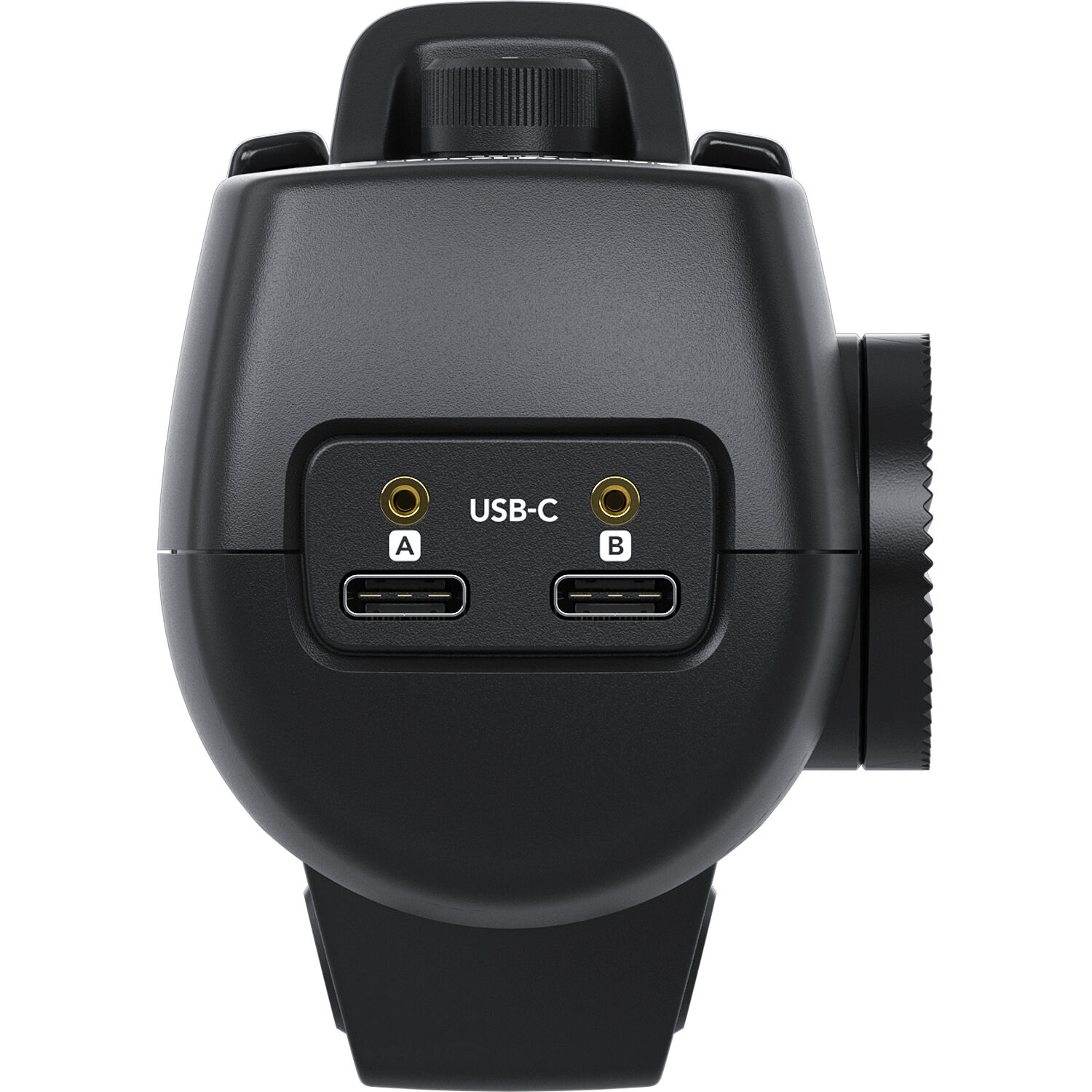
Connects via USB-C
The zoom demand has USB-C connections, so it works with Blackmagic Studio Camera 4K models. The zoom demand has 2 USB-C ports, so you can daisy chain it with the Blackmagic Focus Demand and connect to the camera with a single USB connection. The design has an incredibly precise feel and so you get very fine lens control. The buttons can be customised so you can assign different camera functions to them! Plus, hardware is included for mounting the focus and zoom demand onto tripod handles.
The Blackmagic Zoom Demand includes everything in the box that you’ll need to attach it to your camera. The zoom demand has two USB-C powers, so you can use it on its own or paired with the focus demand. The zoom and focus demands daisy chain together, controlled by a single USB-C port on the Studio Camera, leaving the second camera USB-C to be used for external disk recording!
Attach to Tripod Handle
Simply attach the zoom demand to your tripod handle using the included mounting bracket. You can set it up to be used left or right handed.
Connect via USB-C
Connect the included USB-C cable to the camera and the zoom demand’s CAM port. The LOOP port can be used to connect to the focus demand.
Customise the Buttons
The buttons and speed dial on the zoom demand are customisable through the camera menu. You can even change the direction of the thumb rocker control!
Compatible:
BMD Pocket Cinema Camera 6K G2
BMD Pocket Cinema Camera 6K Pro
BMD Cinema Camera 6K
BMD Ursa Broadcast G2
BMD Studio Camera 4K Plus G2
BMD Studio Camera 4K Pro G2
BMD Studio Camera 6K Pro
Not compatible:
BMD Ursa Mini Pro 12 K
BMD Ursa Mini Pro 4.6K G2
BMD Pocket Cinema Camera 4K