Overview
**Please Note: Permanent camera licenses are REQUIRED for this interface to function (Minimum 2 Camera Licence), for more information please contact us directly.**
Please Note: Basic license restricted to controlling OSD/Menu.
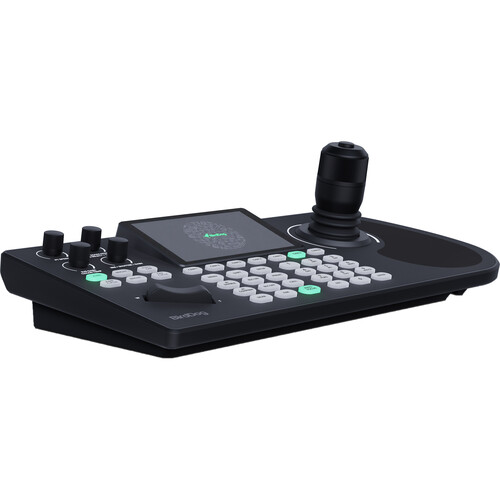
Shade any brand and model of camera with Cyanviews RCP, which allows for direct access to main camera settings and integrated control of external lenses, pan & tilt heads, and gimbals. The user-friendly configuration interface and compact design make setup quick and easy, while regular online updates ensure optimal performance.
Cyanviews RCP is a multi-camera control panel that offers seamless integration with routers or switchers, allowing for quick access to all cameras from a single panel. With no limits on the number of cameras supported, the RCP provides a flexible and powerful solution for camera shading and control in broadcast environments.
Included in box
1x Camera Control Panel W/ Single Camera License
About the Cyanview RCP-J – Basic License
**Please Note: Permanent camera licenses are REQUIRED for this interface to function (Minimum 2 Camera Licence), for more information please contact us directly.**
Please Note: Basic license included is restricted to controlling OSD/Menu.
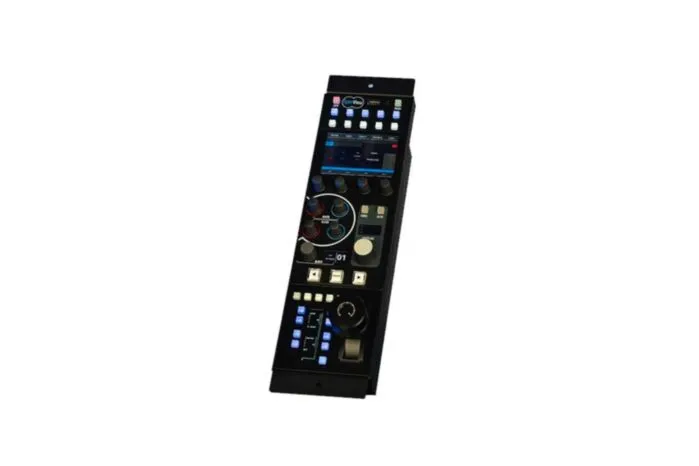
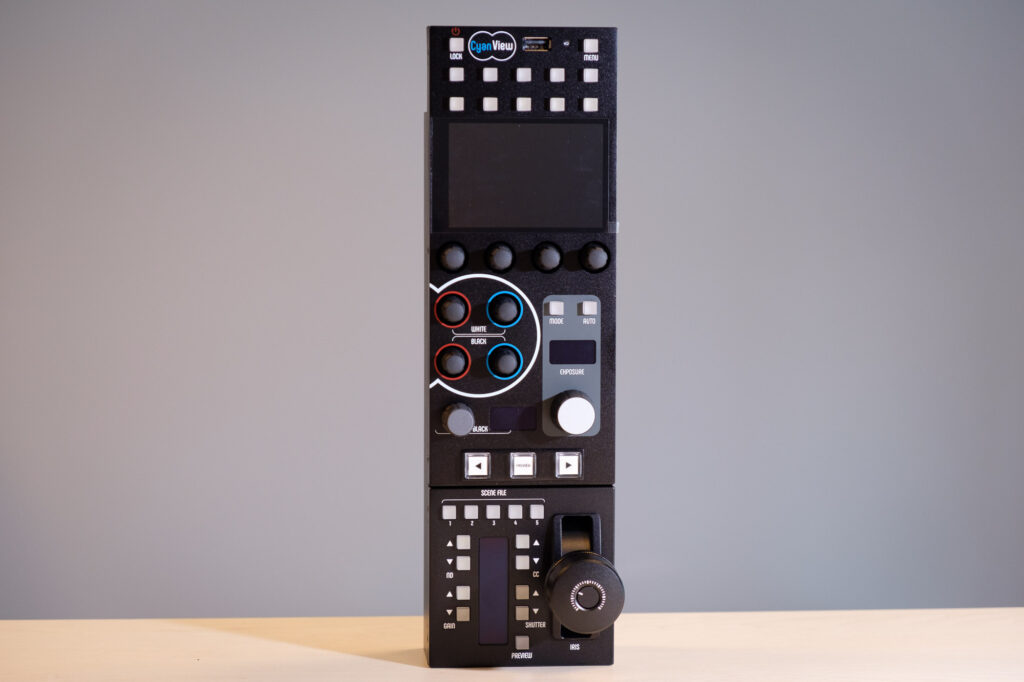
Cyanview’s RCP is a multi-camera control panel that provides shading over most brands and types of cameras used in broadcast. Physical knobs and a touchscreen gives you instant access over most camera settings and allows for an effective matching of your cameras.
The integration with the routers or switchers brings a quick access to all your cameras from a single panel as there are no limits in the number of cameras supported. All Cyanview technologies are integrated together to offer a whole set of key functionalities: tally, wireless, wi-fi, remote production, pan-tilt heads and gimbals control, motorized lenses, etc.
To match your specialty cameras on top-tier productions or to shade your main ENG camcorders or D-Cinema, Cyanview’s RCP offers a major uptick in quality and efficiency, both for setup and operations.
The brand agnostic shading solution
Cyanview provides the most flexible solution for camera shading. Switch seamlessly between most brands and models of cameras and colour correctors from a single RCP.
Multicam over IP network
The RCP controls any camera and other components available on a LAN network. For serial cameras, Cyanview’s CI0 camera interface converts protocols such as LANC, RS232, RS485, VISCA, SBUS, etc. to IP.
Simple and Powerful Configuration
The Web UI allows to easily compose all the interactions and integrations f your workflow. Adding camera protocols and interfaces, external lenses, pan & tilt, video processors or IP configuration can be done in a few minutes.
Multicam Dashboard
There’s no limit in the number of cameras you can add to your workflow. All cameras will appear with their connection status in the Multicam Dashboard, providing an instant view on all the configuration elements and their properties.
Built-in Tally Support
Tally is fully supported with bult-in camera tally when possible, or external tally lights. Multiple ingest options are available supporting the industry standards, from GPIO to Switcher protocols or TSL.
Integrated Workflow
Cyan’s RCP can not only control cameras but also most components directly related to camera control.
Router: automatic preview switching when changing camera from the RCP
Colour correctors: the RCP can control colour correctors as standalone devices or combined with camera control
Router panels: the RCP will follow the camera selected on the monitor
Joystick: PTZ and pan & tilt heads can be controlled from multiple supported joystick pane
Integration with Colour Correctors
One controller for all your colour corrector channels. This option is available independently of camera control but can also be combined in a mode where the RCP would control both the camera and the colour corrector at the same time, providing the missing paint functions to the camera.
Always control the camera you monitor
The RCP supports multiple protocols to control and stay in sync with the router. Select the camera once and everything switches simultaneously. The RCP will track any camera you select on the router panel and will always control the camera selected on the monitor. When using a third-party panel like the Streamdeck, both the RCP and router will follow. And it’s also possible to change the camera directly on the RCP with the router will follow.
Integrate with most routers using Probel SWP-08 or other protocols: Lawo VSM, EVS Cerebrum, Ross, Evertz Magnum, Blackmagic routers and switchers, etc.
One Joystick to control any head
Use the RCP touchscreen or add third-party joystick panels to control pan/tilt, zoom and focus of various cameras or heads. Supports most PTZ cameras, some larger pan-tilt heads, Gimbals over S.BUS and some Micro Heads.
Extend camera shading over the internet
The RCP is directly capable to connect over the internet to control cameras for REMI style productions or just to add remote shading on any camera, for news, beauty shots, shows, documentaries, etc.
Compatibility
Specialty Cameras
Aida SDI and NDI Mini-Cameras
Aja Rovocam
Blackmagic Micro Studio
Camera Corps
Meerkat
QX Minizoom
Qx/Qball
CIS VCC Series
Canon
ME200
Toshiba IK Series
Dreamchip
Atom One Mini-Cameras
Atom SSM500 Slow Motion
IDT Slow Motion
IO Industries Victorem Mini-Cameras
Marshall
Mini-Cameras
Zoom Block Cameras
Sony FCB Blocks
PTZ
Agile ARC360 (now MRMC)
Aida
Birddog P200, P400, P4K
Bolin
Camera Corps
Canon
Lumens
Marshall
Panasonic HE/UE Series
Ross PivotCam
Sony BRC
Camcorders
Blackmagic Ursa Series
Canon XF Series Cameras
Hitachi DK Box Cameras
Ross AcidCam
Panasonic
CX Series
UB300 Box Camera
P2HD Series
Sony
LANC Camcorders
8-pin Camcorders
P1/P50 Box Cameras
System Cameras
D-Cinema
Arri Alexa, Amira
Blackmagic Ursa Series
Canon EOS C-Series
Panasonic
EVA-1
Varicam
Sony
FS5, FS7, FX9 Lanc Camcorders
F3, F5, F55, Venice D-Cinema